Case study · Climate tech · AI module

Upload a bill. AI does the data entry.

The AI Document Manager is where Bharat Carbon users upload bills and compliance documents. AI reads them, fills in the numbers for carbon accounting and ESG reports, and a checker signs them off.
Client
Bharat Carbon
Industry
Climate tech · Carbon accounting & ESG
Product
AI module in the Bharat Carbon web app
Timeframe
2024
My role
UX + UI design, interaction design, prototyping
Tools
Figma, FigJam
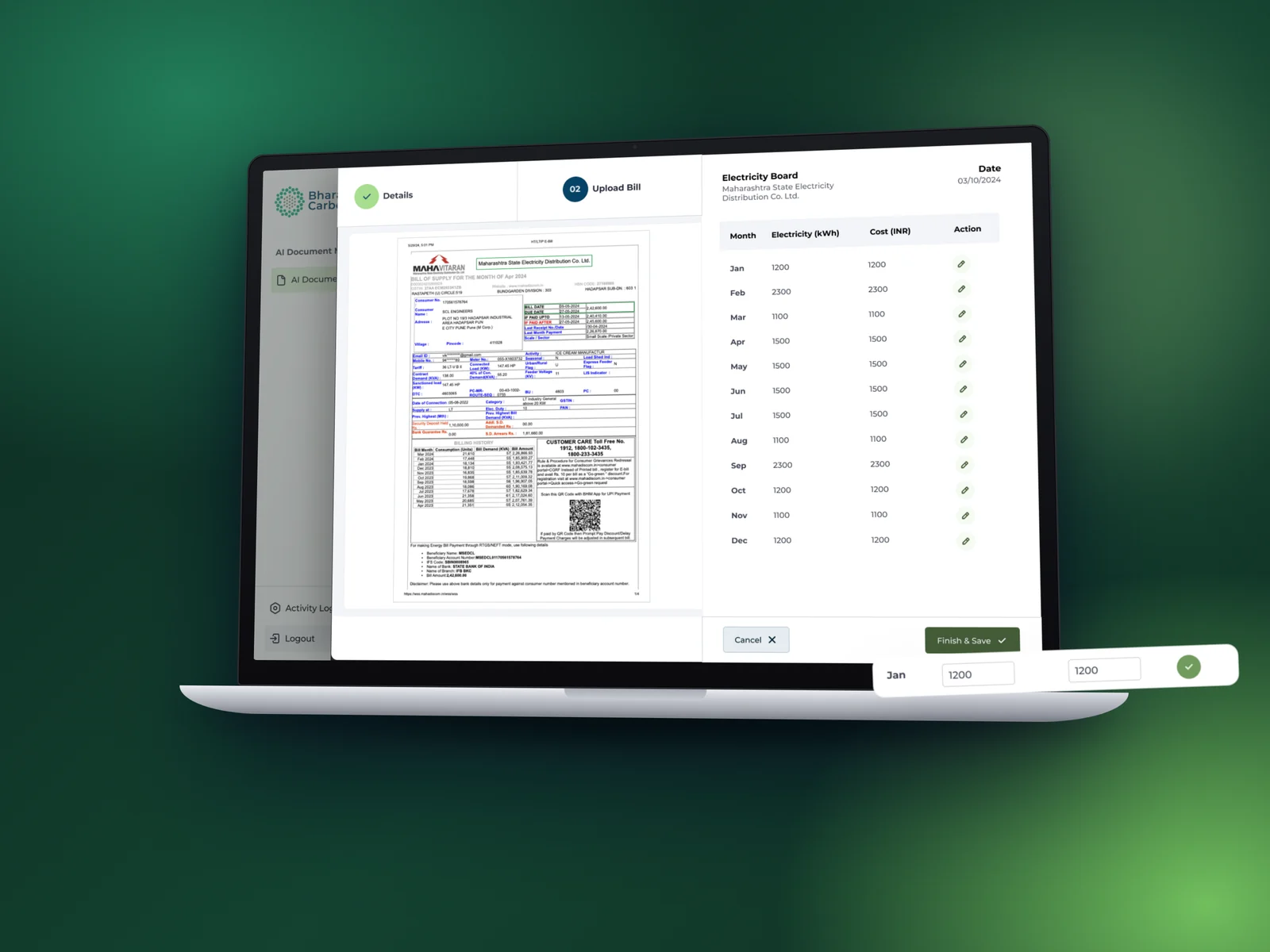
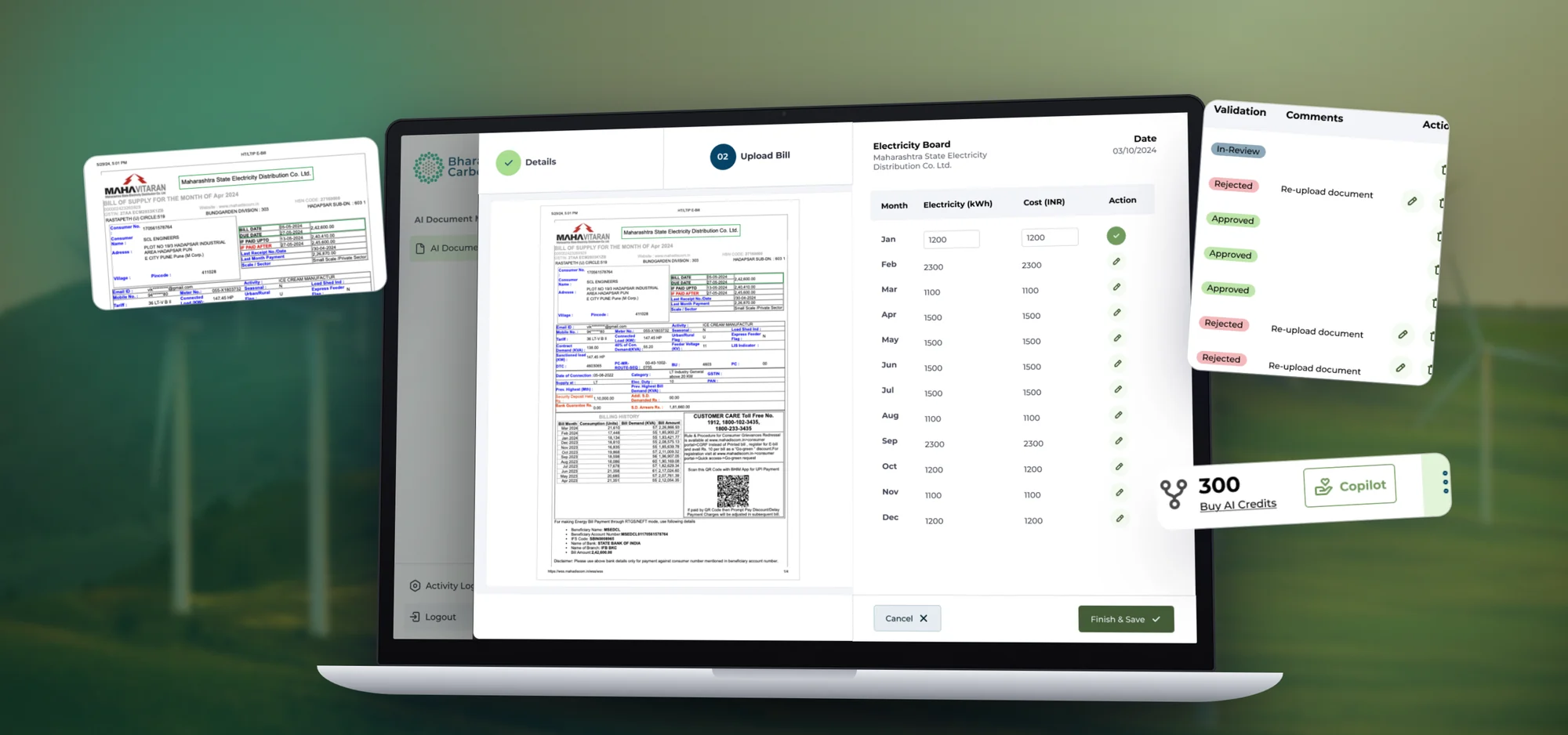
AI Document Manager on a laptop, with the bill and extracted data side by side

01 · The short version

The project in a minute

The problem

Data entry from paper

Carbon accounting runs on bills and filings. Typing twelve months of electricity readings by hand is slow and easy to get wrong.

What I did

Upload once, check, save

A two‑step upload drawer, an AI view that shows the bill next to the numbers it found, and a review flow with clear statuses.

The result

Check, don't type

Users review numbers instead of typing them, and every figure can be traced back to the document it came from.

2steps to upload: add details, then the file
12months of readings pulled from a single bill
3review states: in review, approved, rejected
2products fed: Carbon Accounting and ESG Reporting

02 · Who it's for

Built for teams who report emissions

Sustainability, finance and facility teams collect the bills. Admins and checkers make sure the numbers are right before they reach a report.

Primary users

Sustainability teams · Facility managers · Checkers

“Let me drop in the bill and just check the numbers.”The brief in one line, as I framed it

  1. Less typingAI reads the bill and fills the table.
  2. Numbers I can trustSee where on the bill each value came from.
  3. Stay in controlEdit any row before saving.
  4. Know what's pendingIn review, approved or rejected, at a glance.
  5. One place for every documentBills for carbon accounting, filings like AOC‑4 for ESG.

03 · How it came together

Map, design, review

The hard part was trust: AI can read a bill, but people have to believe the numbers.

  1. 1

    Step 1

    Map the flow

    Which documents feed which product: utility bills for carbon accounting, filings like AOC‑4 and Form CRA‑2 for ESG and BRSR.

    • Flows
    • IA
  2. 2

    Step 2

    Design the upload

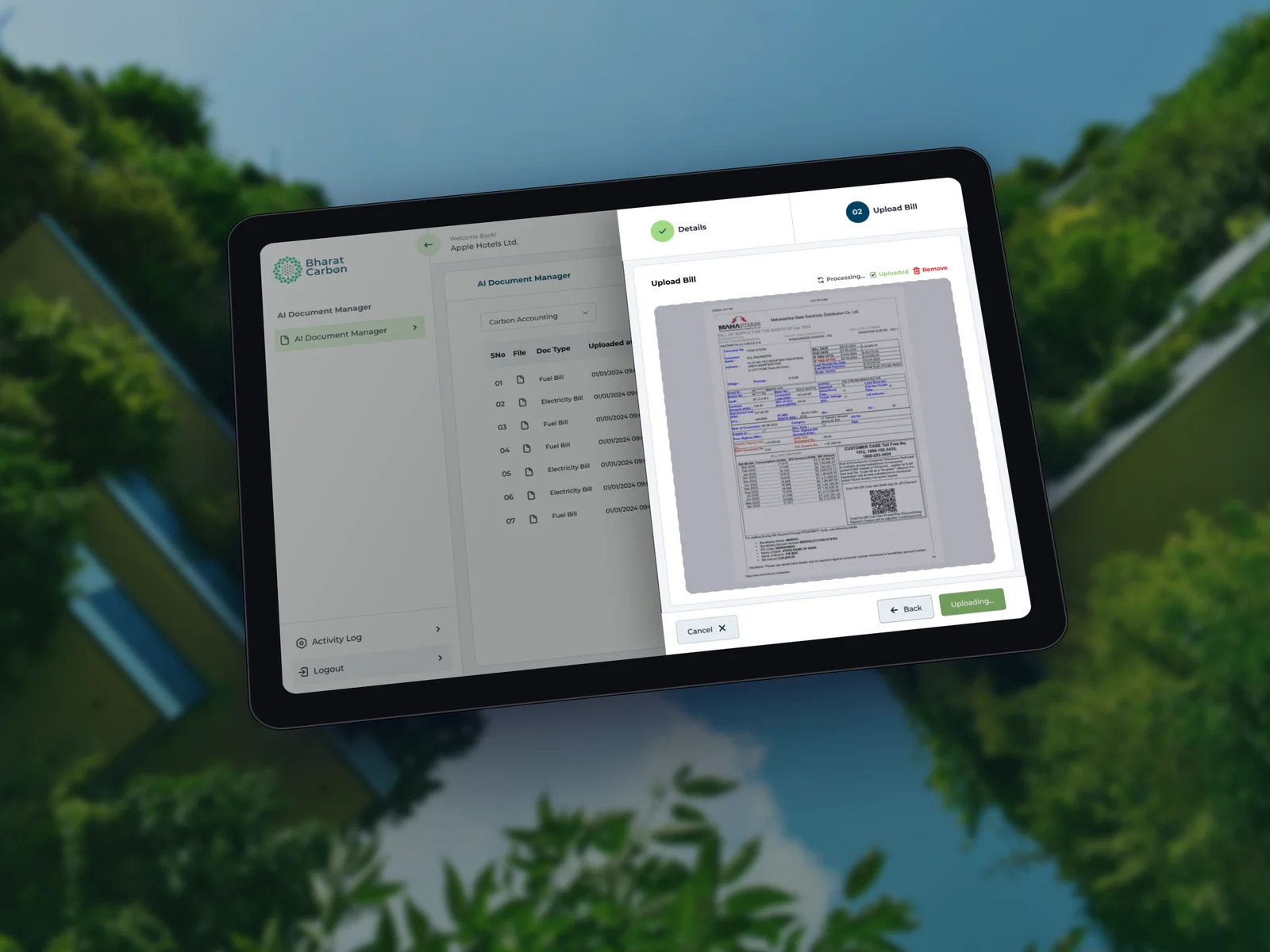
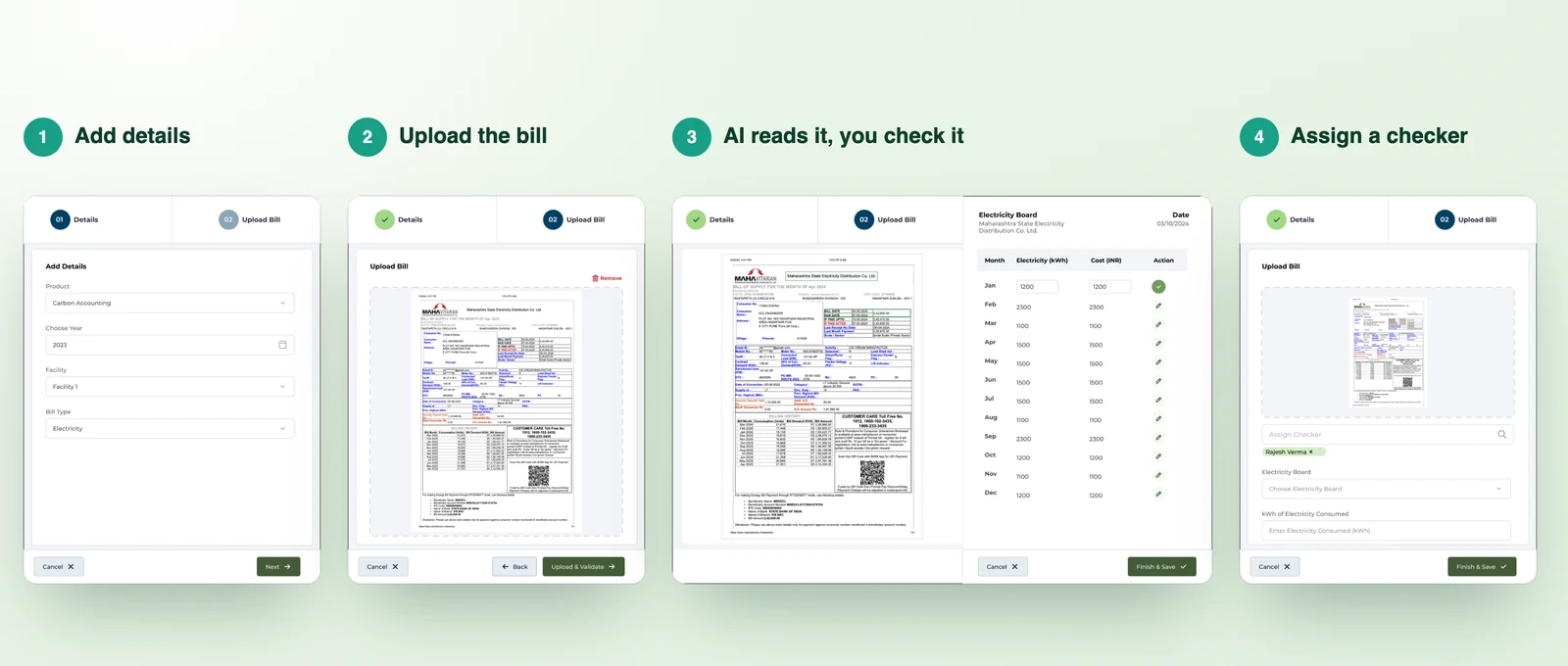
    A two‑step drawer with drag and drop, file preview, upload progress and an AI processing state.

    • Interaction design
    • States
  3. 3

    Step 3

    Design the review

    The side‑by‑side extraction view, row‑by‑row edits, assigning a checker, and statuses in the document list.
    • Visual design
    • Prototype
The four steps of the upload flow
The upload flow: add details, upload the bill, let AI read it while you check the values, then assign a checker.

04 · Key decisions

The choices that made it work

Decision 01

Show the bill next to the numbers

Why
People only trust AI output they can check against the source.
What I did
The bill stays on the left with the source highlighted. Month, kWh and cost sit on the right, and every row can be edited.
AI extraction view with the bill and the data table

Decision 02

Ask for context before the file

Why
The same upload means different things for carbon accounting and for ESG.
What I did
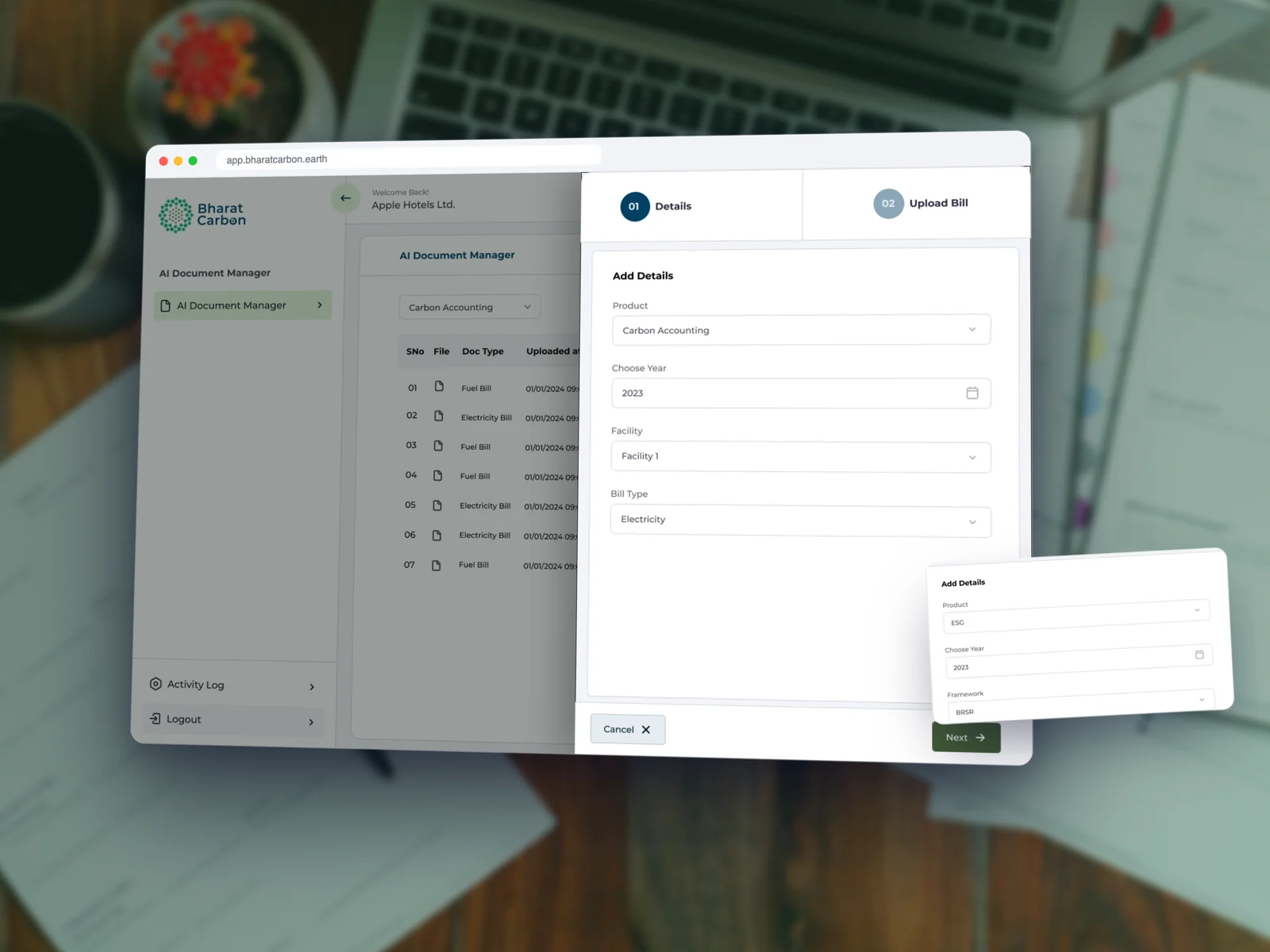
Step one asks for product, year, facility and bill type (or framework and document type), so AI knows what to look for.
Add details step in the upload drawer

Decision 03

Make every status visible

Why
Documents pass between makers and checkers. Nobody should wonder what's stuck.
What I did
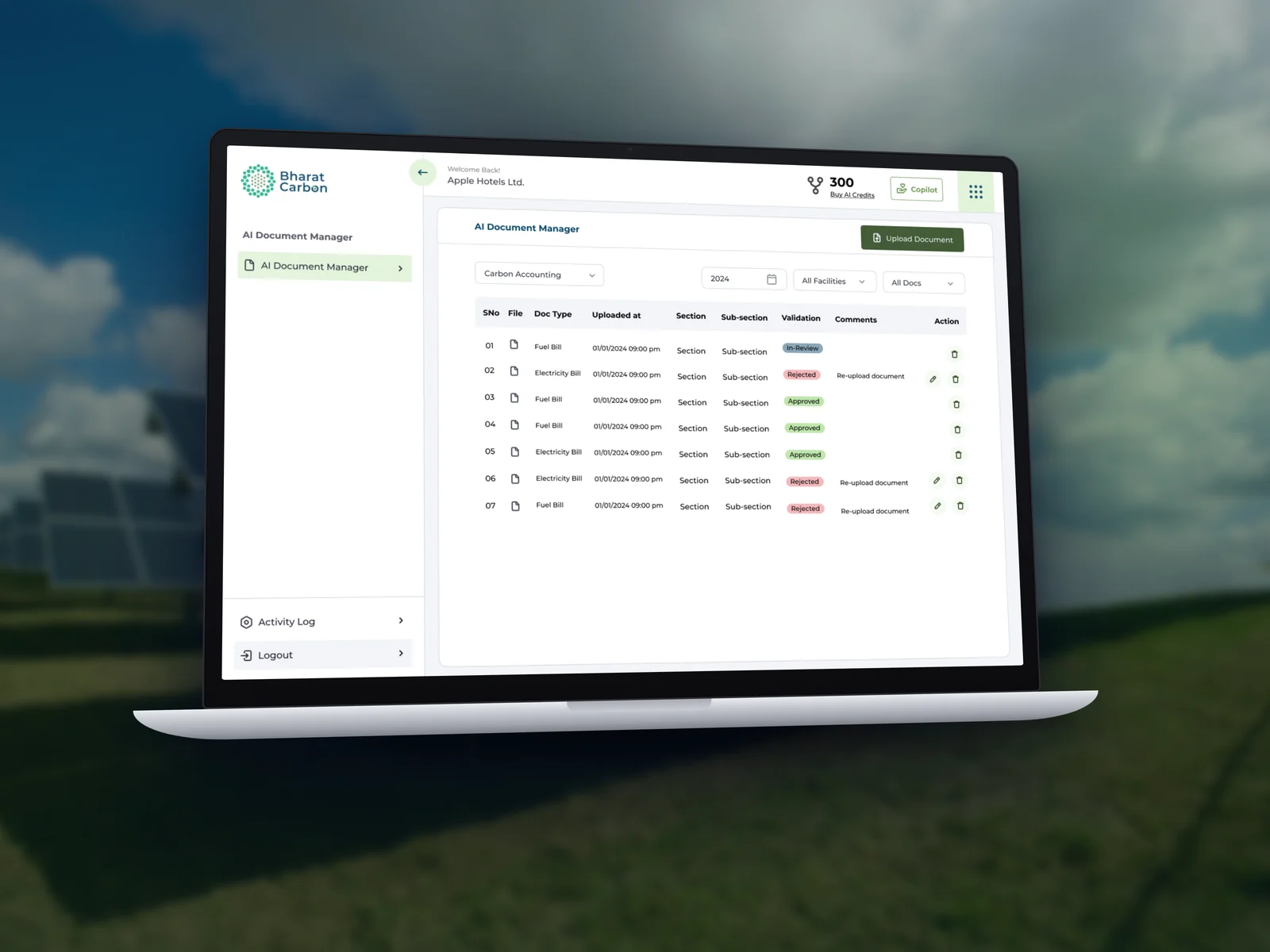
The list shows in review, approved and rejected, with comments like “Re‑upload document” and the fix one click away.
Document list with validation statuses

05 · The screens

Every state, upload to approval

  • Document list
  • Add details
  • Upload & preview
  • AI processing
  • AI extraction
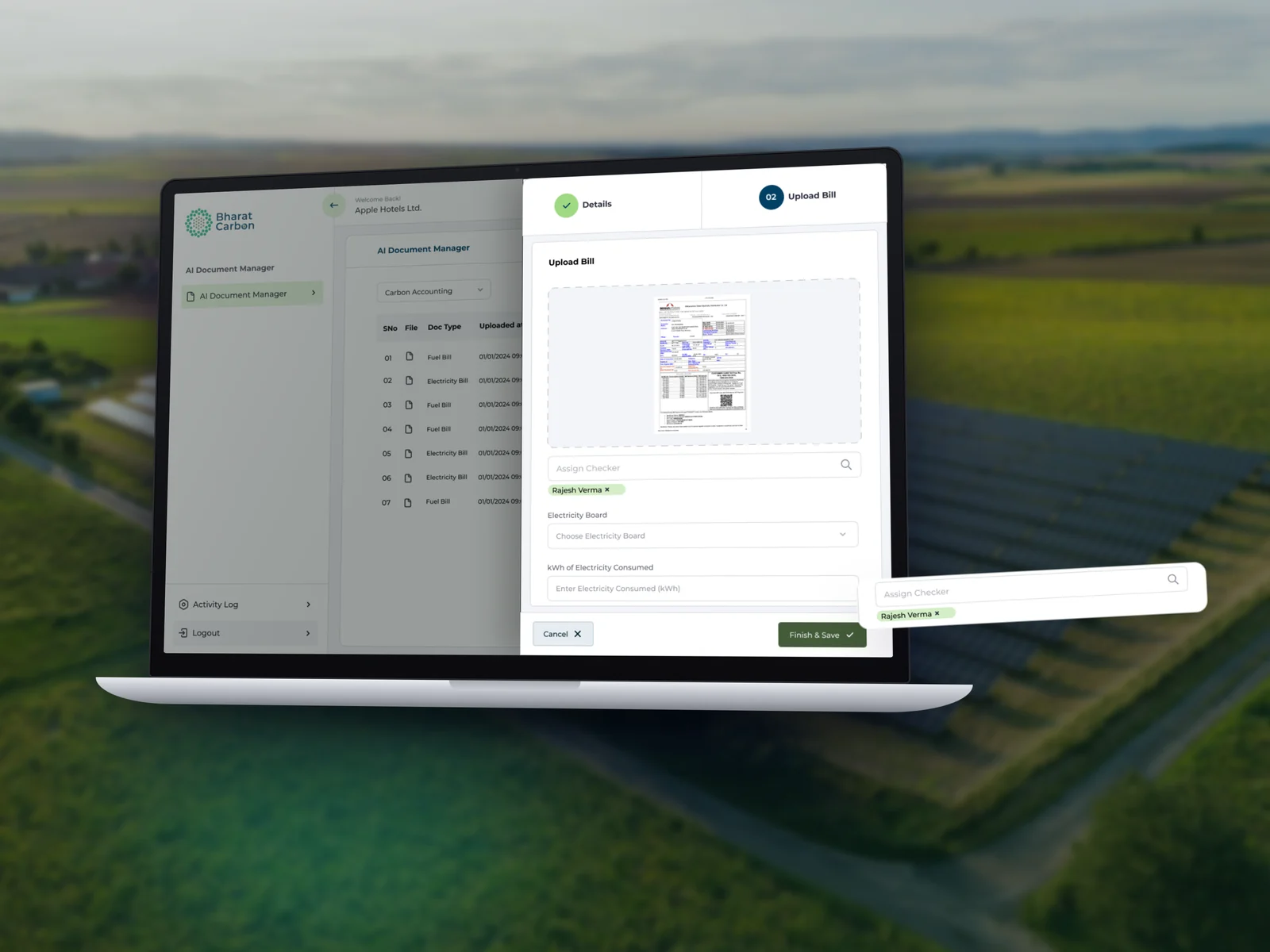
  • Assign checker
  • ESG documents
AI extraction view
Document list
Add details
AI processing the bill
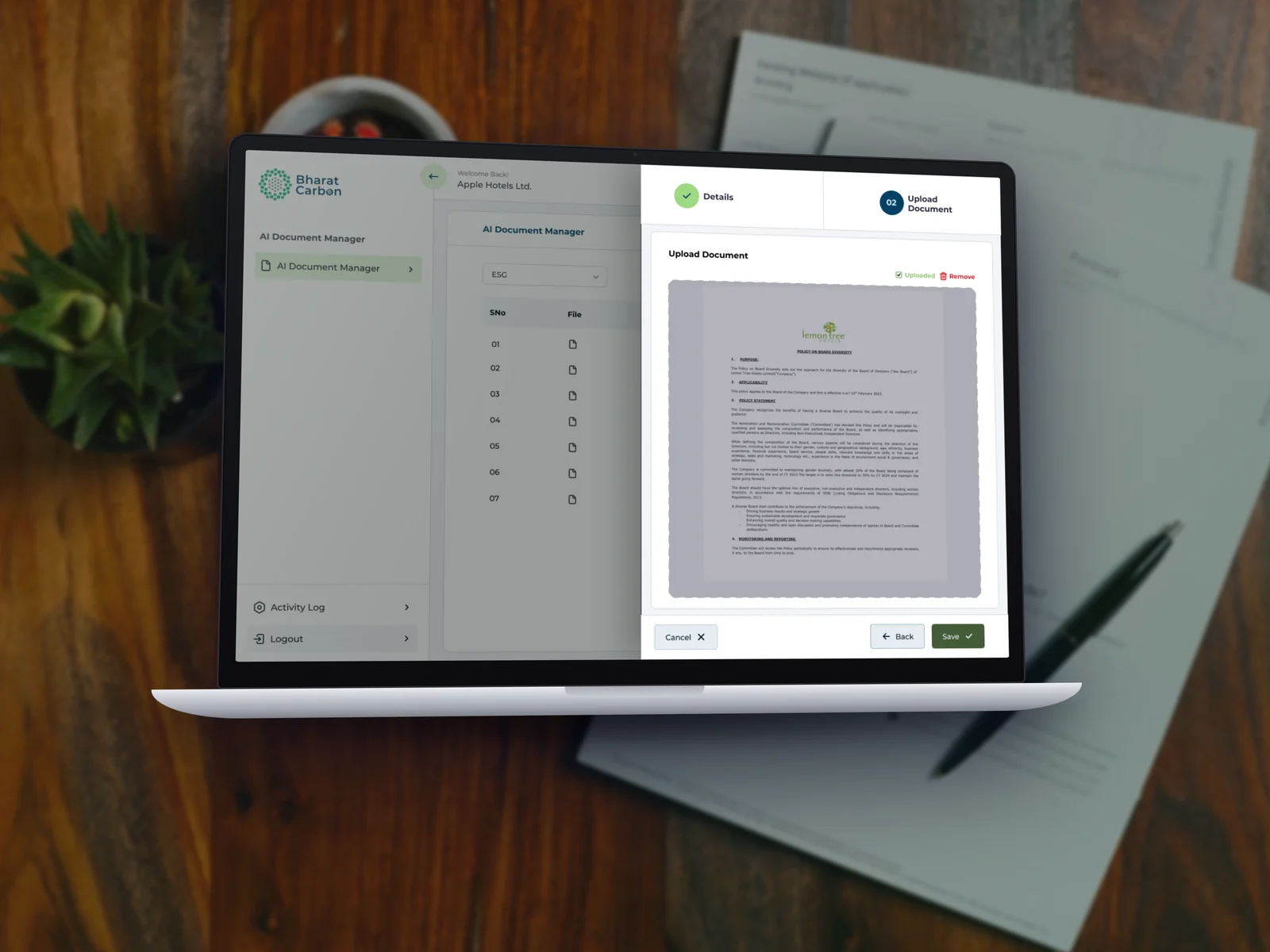
ESG policy document uploaded
Assign a checker
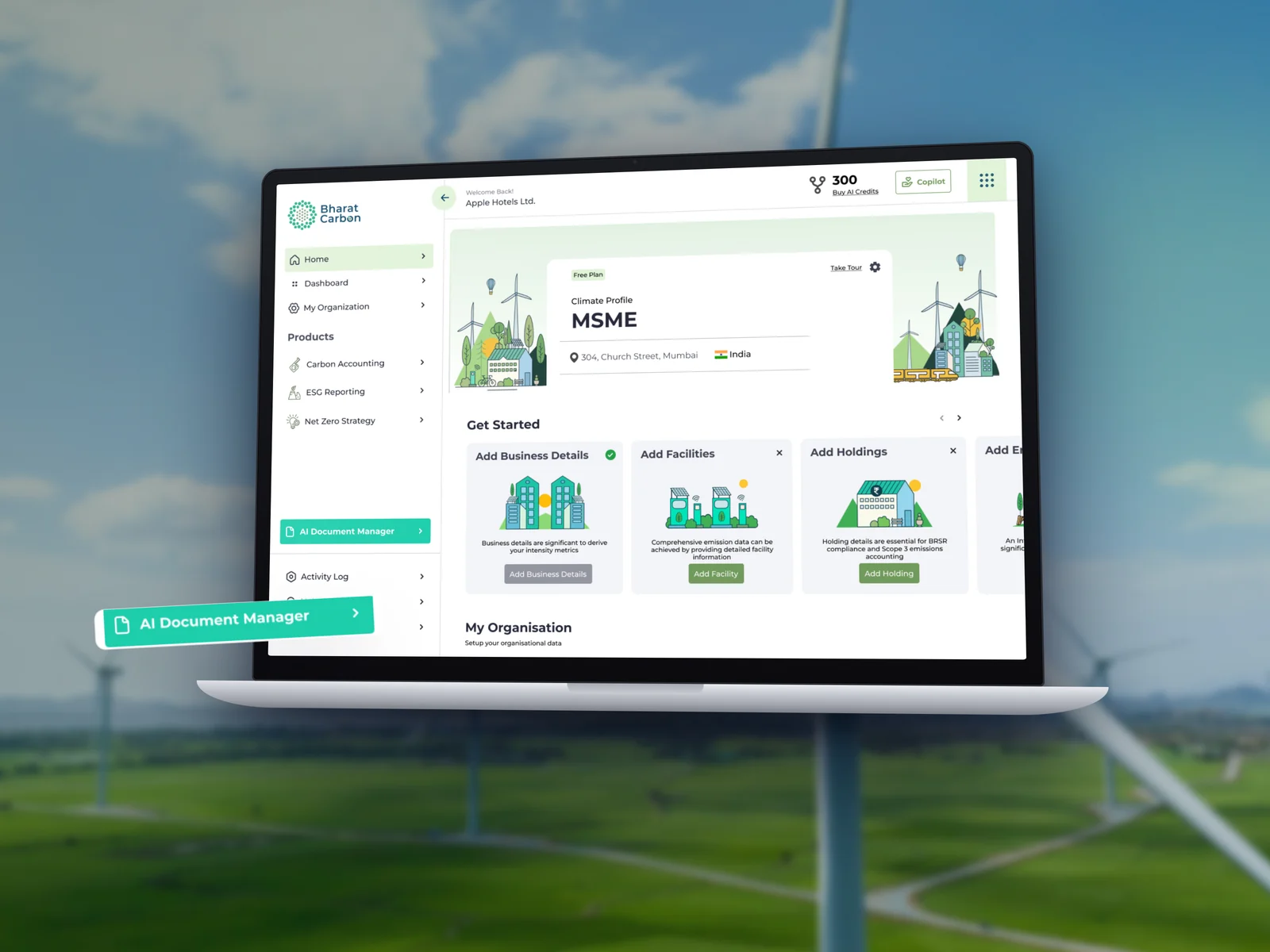
AI Document Manager in the main menu

Adding AI to a complex product?

  • I design AI features people can check and trust, not black boxes.
  • Flows that keep people in control of the final numbers.
  • Comfortable with dense data, compliance and multi‑step workflows.

Next case study

Bharat Carbon Onboarding →

From sign up to a climate profile in a few honest questions.
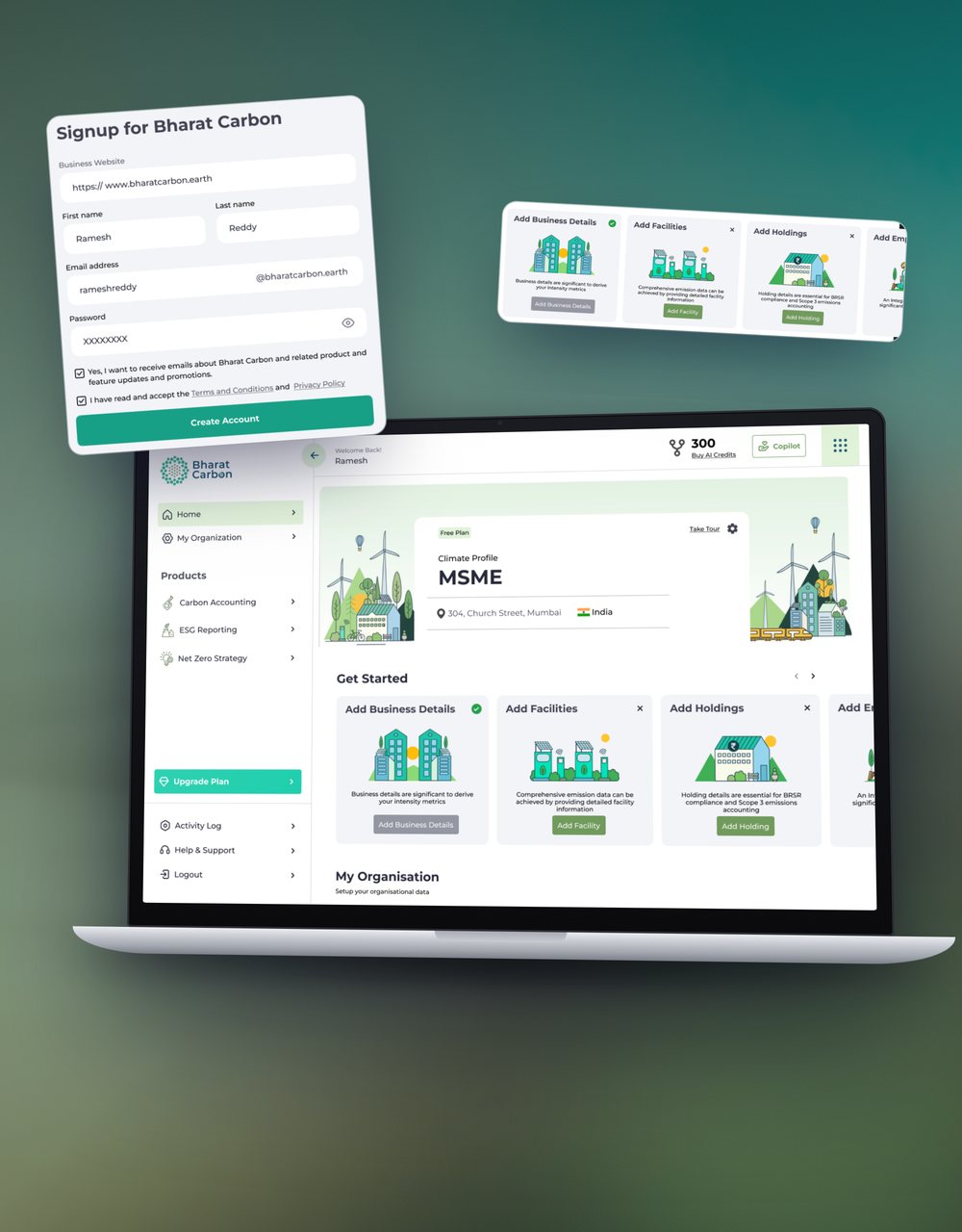
Bharat Carbon onboarding and home mockup